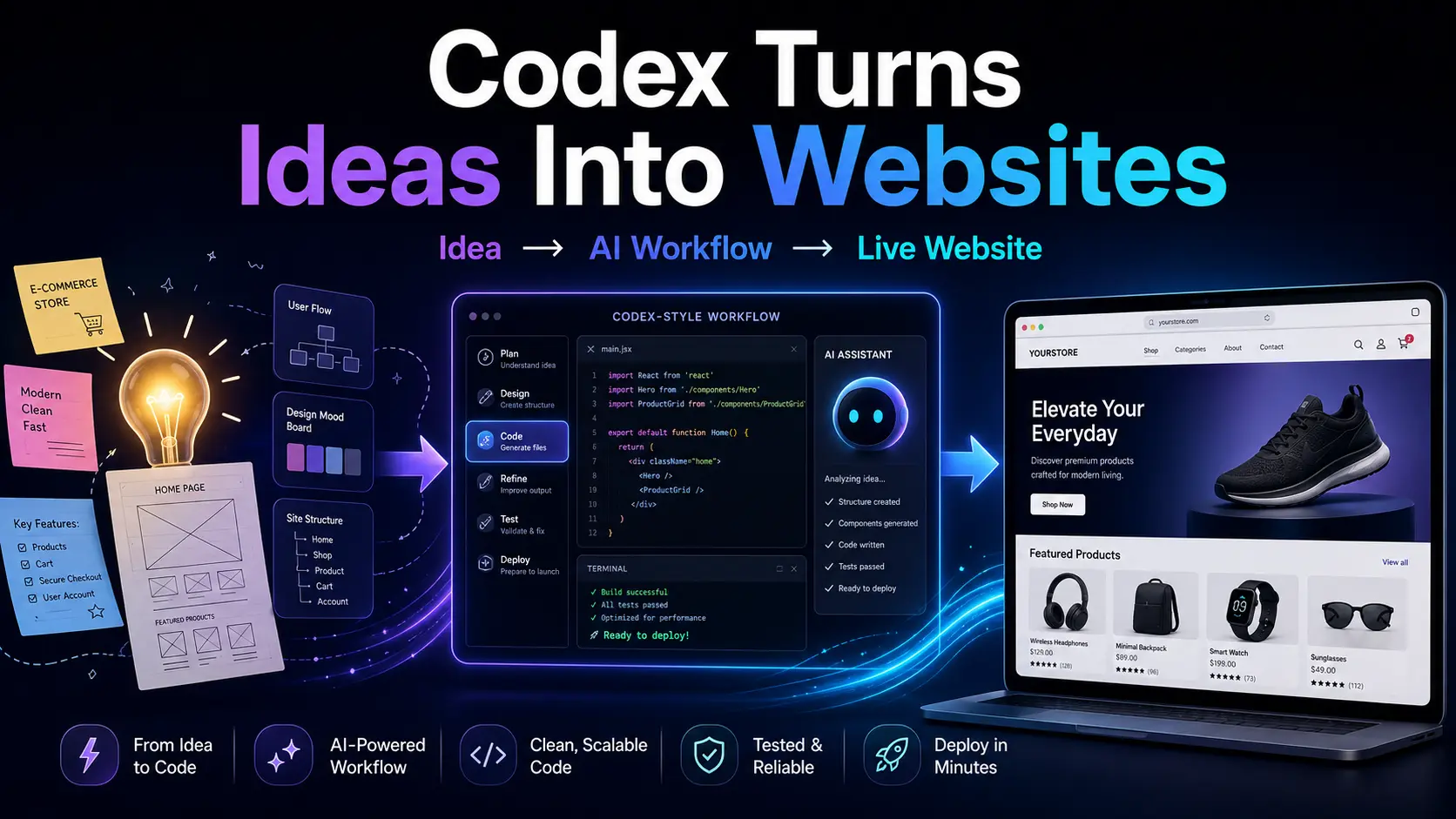
Introduction: What If Your Idea Could Become a Website Today?
What if you could turn a raw idea into a live website without writing a single line of code yourself? Not someday, not after learning JavaScript for six months, and not after hiring a developer. Today.
That is the promise of AI coding agents like Codex. You bring the idea, explain what you want, review the result, and keep improving it until the website feels ready to launch.
In this guide, we are going to build a simple website from scratch using Codex. The goal is not to pretend coding no longer exists. The code is still there. The difference is that you do not need to manually write every line yourself.
Think of Codex as your technical co-builder. It can help create files, generate components, fix bugs, explain logic, and prepare your project for deployment. By the end of this article, you will understand how to move from idea to live website using a no-code-style AI workflow.
What Is Codex?
Codex is OpenAI’s coding agent designed to help users build, edit, understand, and improve software projects. Unlike a normal chat assistant, Codex is more project-focused. It can work with files, inspect a codebase, suggest changes, and help turn instructions into real software output.
The biggest difference between Codex and a regular ChatGPT conversation is context. A normal chat can explain code or generate snippets. Codex is built for working inside a project, where it can understand structure, make edits, and help you move toward a working product.
Codex is useful for prototypes, landing pages, calculators, dashboards, UI components, bug fixing, refactoring, and deployment preparation. It is not a perfect replacement for human judgment, especially in areas like security, complex business logic, payments, database architecture, or large-scale production systems.
The Idea: A Real Website, Not Just a Demo
For this tutorial, let’s build something simple but actually useful: a website that helps users calculate monthly electricity costs based on appliance usage.
The problem is simple. Many people know their final electricity bill, but they do not know which devices consume the most power. A calculator can help users estimate monthly cost based on appliance wattage, hours used per day, days used per month, and electricity price per kWh.
The target users are students, renters, families, small business owners, and anyone who wants to understand energy usage better without opening a spreadsheet.
Website Requirements
Before asking Codex to build anything, we need to define the website clearly. A vague idea creates vague output. A clear requirement gives Codex a better chance to build something useful.
- Calculate monthly electricity usage - Users can estimate kWh usage based on appliance power and usage time.
- Support multiple appliances - Users can add more than one device and compare total usage.
- Show estimated monthly cost - The website calculates the cost based on electricity price per kWh.
- Mobile responsive layout - The calculator should look good on phones, tablets, and desktops.
- Clean modern UI - The interface should be simple, readable, and beginner-friendly.
Preparing Codex
To start, open Codex and create or select a project folder. If you already have a repository, you can work from that. If not, you can ask Codex to create a new project from scratch.
For this kind of project, a simple frontend stack is enough. You can use React or Next.js, then style it with Tailwind CSS. For deployment, Vercel or Netlify is usually beginner-friendly.
A good setup could look like this: Next.js for the framework, Tailwind CSS for styling, Vercel for deployment, and Codex as the AI coding assistant that helps generate and improve the app.
Writing the First Prompt
The first prompt is the foundation of the project. This is where you explain what you want Codex to build and how the website should behave.
Here is a strong first prompt:
Create a responsive website that calculates monthly electricity costs based on appliance usage. Allow users to add multiple appliances. Each appliance should have name, watts, hours used per day, and days used per month. Let users enter electricity price per kWh. Calculate total kWh and estimated monthly cost. Use a clean card-based layout, basic form validation, and a mobile-friendly design.
This prompt works because it gives Codex the product goal, input fields, calculation logic, design direction, and quality expectations. A weak prompt like “make me a calculator website” would leave too much room for guessing.
Codex Generates the Website
After receiving the prompt, Codex should begin creating the project structure. It may generate a homepage, form components, result summary, calculation logic, and styling files.
The output might include components like an appliance form, appliance list, result summary card, and usage chart. The exact file names may vary, but the concept is the same: Codex breaks the website into smaller reusable parts.
The main calculation is simple: kWh equals watts multiplied by hours per day multiplied by days per month, divided by 1000. The estimated cost equals total kWh multiplied by the electricity price per kWh.
At this stage, the website may already work. But it probably will not be perfect yet. That is normal. The real power of Codex is iteration.
Improving the Website with Follow-Up Prompts
The first version is only the starting point. Now we improve it step by step using clear follow-up prompts.
The second prompt can be: Add dark mode support with a toggle button. Save the user preference in localStorage and make sure the design still looks clean in both light and dark mode.
The third prompt can be: Improve the mobile layout. Make sure the form, appliance cards, result summary, and chart look good on small screens. Avoid horizontal scrolling.
The fourth prompt can be: Add a chart that visualizes electricity consumption by appliance. Use a simple bar chart and make sure it updates when appliances are added or removed.
The fifth prompt can be: Improve the labels and helper text so beginners understand what to enter for watts, hours per day, days per month, and electricity price per kWh.
These prompts show a real workflow. You are not just asking AI to create a finished product in one shot. You are guiding it like a product owner, reviewing each version, and improving the website through iteration.
Testing the Result
Before publishing the website, test it like a real user. Do not assume everything works just because the page looks good.
Start by adding one appliance, then add multiple appliances. Remove an appliance. Enter invalid values. Try the website on a small screen. Toggle dark mode. Refresh the page. Check if the layout breaks.
| Feature | Status |
|---|---|
| Calculator works | ✅ |
| Multiple appliances | ✅ |
| Total kWh calculation | ✅ |
| Monthly cost estimate | ✅ |
| Form validation | ✅ |
| Mobile responsive | ✅ |
| Dark mode | ✅ |
| Chart updates correctly | ✅ |
For example, if an appliance uses 60 watts, runs 8 hours per day, and is used for 30 days, the monthly usage is 14.4 kWh. If the electricity price is $0.15 per kWh, the estimated monthly cost is $2.16.
Deploying the Website
Once the website works locally, the next step is deployment. You can publish the project using GitHub with Vercel, GitHub with Netlify, or another modern hosting platform.
A simple deployment flow is easy to understand: push the project to GitHub, connect the repository to Vercel, set the build command, deploy the website, and test the live version.
You can also ask Codex to help prepare the project for deployment. A useful prompt is: Prepare this project for deployment on Vercel. Check for build errors, clean unused code, update the README, and make sure the app works in production.
This step is important because a website is not truly finished until people can open it online.
Final Result
After several prompts, we now have a real website: a responsive electricity cost calculator that allows users to add multiple appliances, calculate total electricity usage, estimate monthly cost, view consumption by appliance, use dark mode, and access the site from desktop or mobile.
This is the point where your project stops being just an idea. It becomes something you can show, test, share, and improve.
For a stronger article or portfolio case study, you can add desktop screenshots, mobile screenshots, dark mode screenshots, and a live demo link.
What Codex Did Well
Codex is especially strong at fast prototyping. It can quickly turn a product idea into a project structure, UI components, basic logic, responsive layout, and readable code.
It is also useful for iteration. You can start with a simple version, then ask for dark mode, charts, validation, better copywriting, cleaner components, or deployment improvements.
For beginners, the biggest benefit is speed. You can see your idea become a working website much faster than building everything manually from zero.
Where Codex Still Needs Human Help
This is the part many AI tutorials ignore. Codex is powerful, but it still needs human supervision.
Complex business logic should always be reviewed. If your app handles payments, subscriptions, commissions, inventory, user roles, or financial calculations, do not blindly trust generated logic.
Security also needs serious attention. You still need to review authentication, authorization, API access, database rules, environment variables, user input validation, and payment security.
Architecture decisions also matter. Codex can suggest structure, but humans should still decide what is best for the product. A small demo project and a real production platform are not the same.
In large-scale projects, you still need planning, testing, documentation, monitoring, and code review. Codex can help, but it should not replace responsible engineering judgment.
Is This Really No-Code?
For the builder, yes. You are not manually writing code line by line. You are describing what you want and letting Codex generate or edit the code for you.
But under the hood, the website is still code-powered. That is actually the advantage. You get the speed of a no-code workflow while keeping the flexibility of a real codebase.
Conclusion
Building a website with Codex is not just a cool experiment. It is a real workflow for turning ideas into working products faster.
In this tutorial, we started with a simple idea: an electricity cost calculator. Then we used Codex to turn that idea into a responsive website with calculator logic, multiple appliances, dark mode, charts, validation, and deployment preparation.
The process can be done with around five to seven strong prompts: create the website, add dark mode, improve mobile layout, add charts, improve UX writing, test the app, and prepare for deployment.
Is it completely no-code? For beginners, yes, because you can build without manually writing every line. Is it production-ready without review? Not always. Codex is best when you treat it like a skilled AI co-builder, not a magic button.
FAQ
Can Codex build a website without coding?
Yes. Codex can help generate the code for a website based on natural language prompts. You still need to review and test the result, but you do not have to manually write every line yourself.
Is Codex better than Cursor?
It depends on your workflow. Codex is designed as an AI coding agent that can work with project tasks and code changes. Cursor is more of an AI-powered code editor experience. If you want an agent-style workflow, Codex may fit better. If you want an AI-first editor, Cursor may feel more natural.
Can beginners use Codex?
Yes. Beginners can use Codex by describing what they want in plain English. However, beginners should still learn basic concepts like files, deployment, forms, components, and testing so they can review the output properly.
How much does Codex cost?
Codex availability and limits can depend on the plan or product access. The safest approach is to check OpenAI’s official Codex and pricing pages for the latest information before publishing pricing details.
Can Codex deploy websites?
Codex can help prepare a project for deployment, fix build errors, clean code, update documentation, and guide the GitHub-to-Vercel or GitHub-to-Netlify workflow. The final deployment still depends on your hosting setup.
What kind of websites can I build with Codex?
You can build landing pages, calculators, dashboards, blogs, portfolio sites, internal tools, small SaaS prototypes, and simple web apps. For complex platforms, combine Codex with planning, testing, and human code review.
Sources
Sources used for this article: OpenAI Codex documentation, OpenAI Codex app documentation, OpenAI Codex cloud documentation, and OpenAI Get Started with Codex page.